
How to Demo Trade
Before you use real money, practice first with demo trading (paper trading). You buy and sell real tokens at live prices, but with a virtual balance. If you get it wrong, all you lose is fake money, not yours.

Why demo first?
- Learn the and exit flow without being afraid of losing money.
- Get to know the terminal you'll use, for example GMGN or Axiom.
- Feel how fees and eat into your profit.
- Test strategies and find your own bad habits, like or taking profit too late.
- Build the mindset and discipline you need before trading with real money.
Tool: DryFlip
One tool you can use is DryFlip, a free browser extension for paper trading .
- Free, desktop only (Chrome, Edge, Firefox, and it also runs on Brave, Opera, and Vivaldi).
- No connection, it never asks for your or , and no deposit is needed.
- Works on GMGN, Axiom, Fomo, Padre, Photon, DexScreener, and a few other terminals. GMGN is the most recommended.
- Solana, BNB Chain, Ethereum, Base, Robinhood Chain, and Arch. Each chain has its own virtual wallet. For example, Solana starts with 3 virtual SOL. (Checked on dryflip.com, Oct 18, 2026.)
- Has / Stop Loss, Limit Buy / DCA, a trading journal, a PNL calendar, and stats.
Official website: dryflip.com
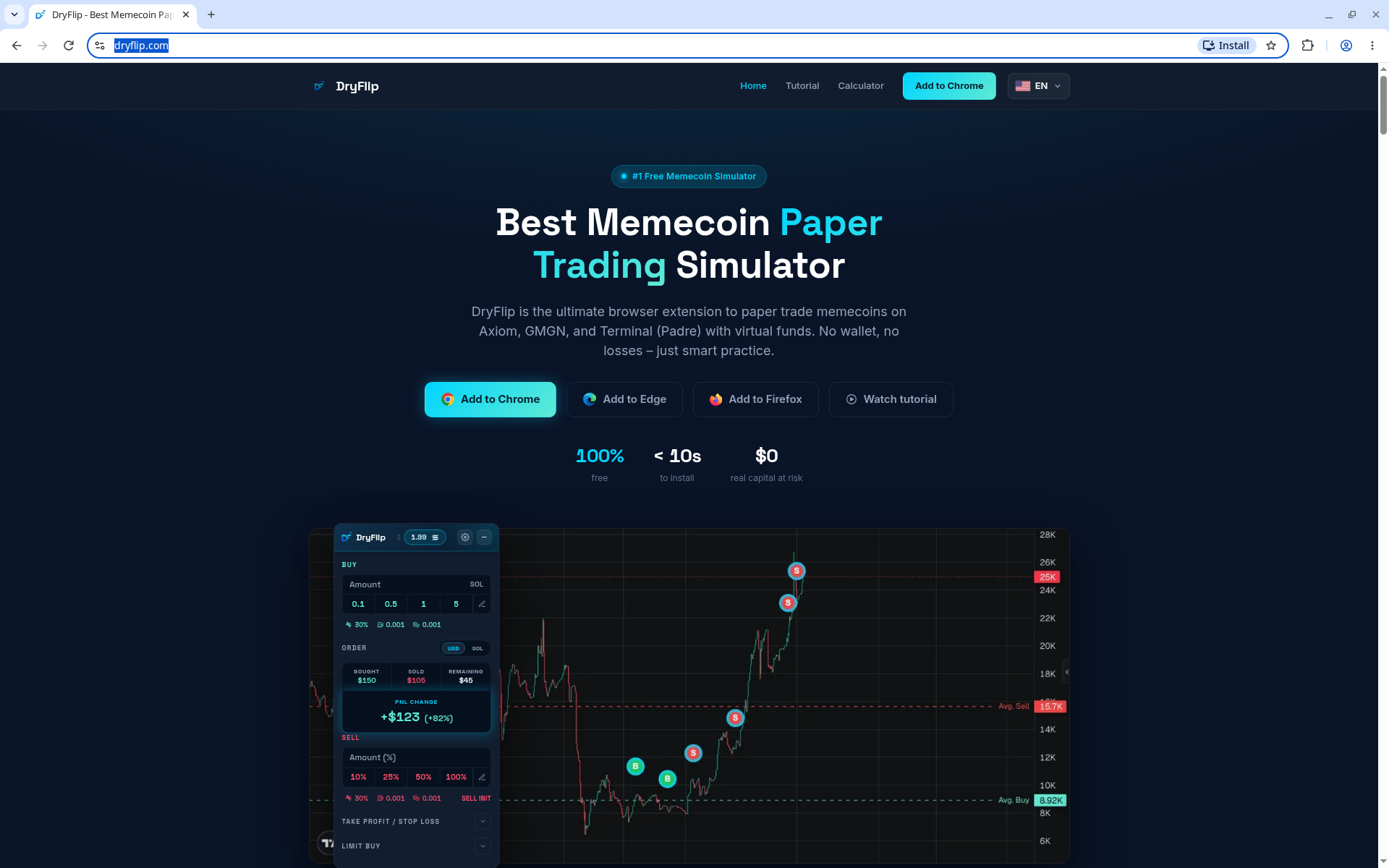
How to use it
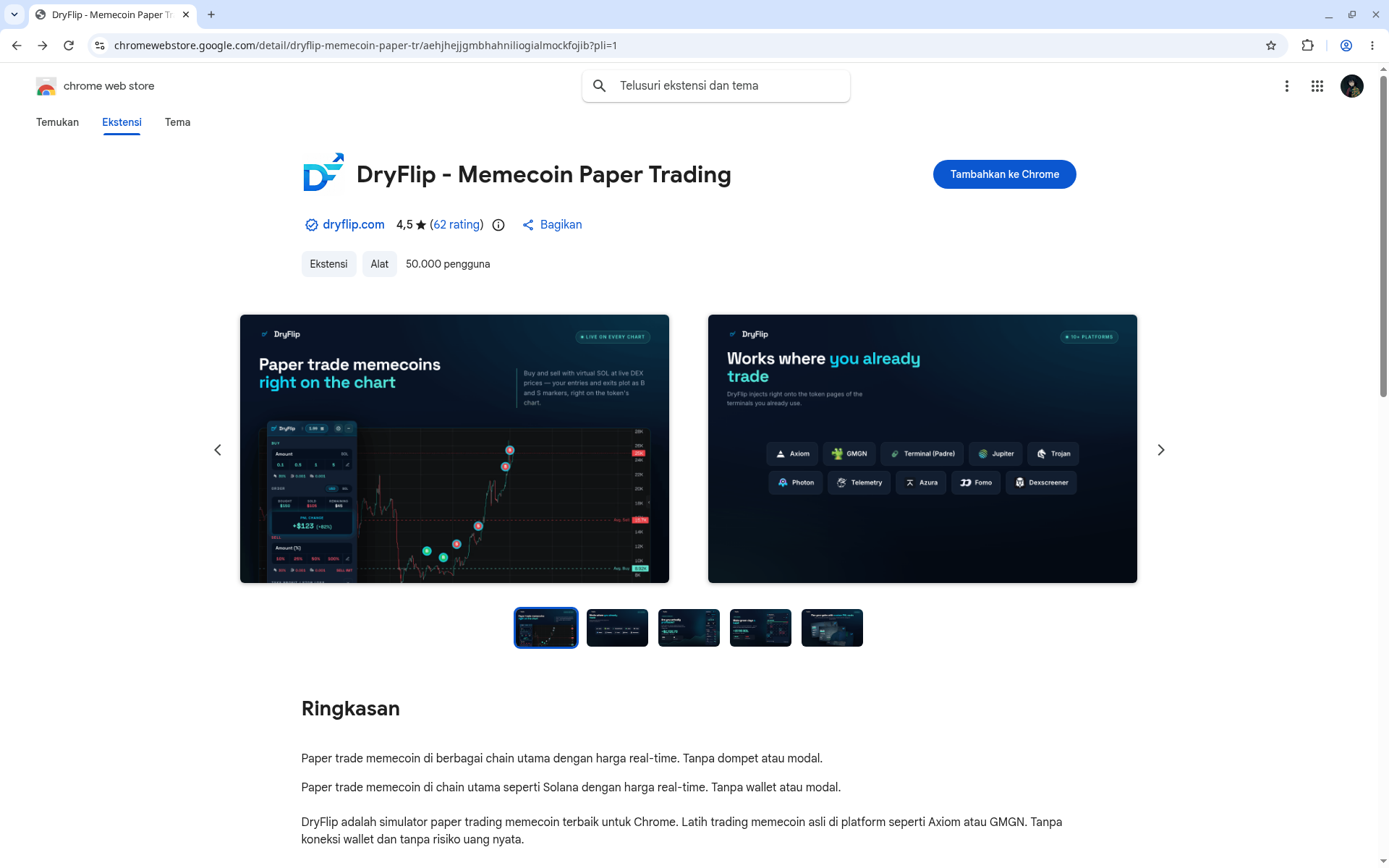
- Install DryFlip only from the official links on dryflip.com (Chrome Web Store, Edge Add-ons, or Firefox Add-ons).
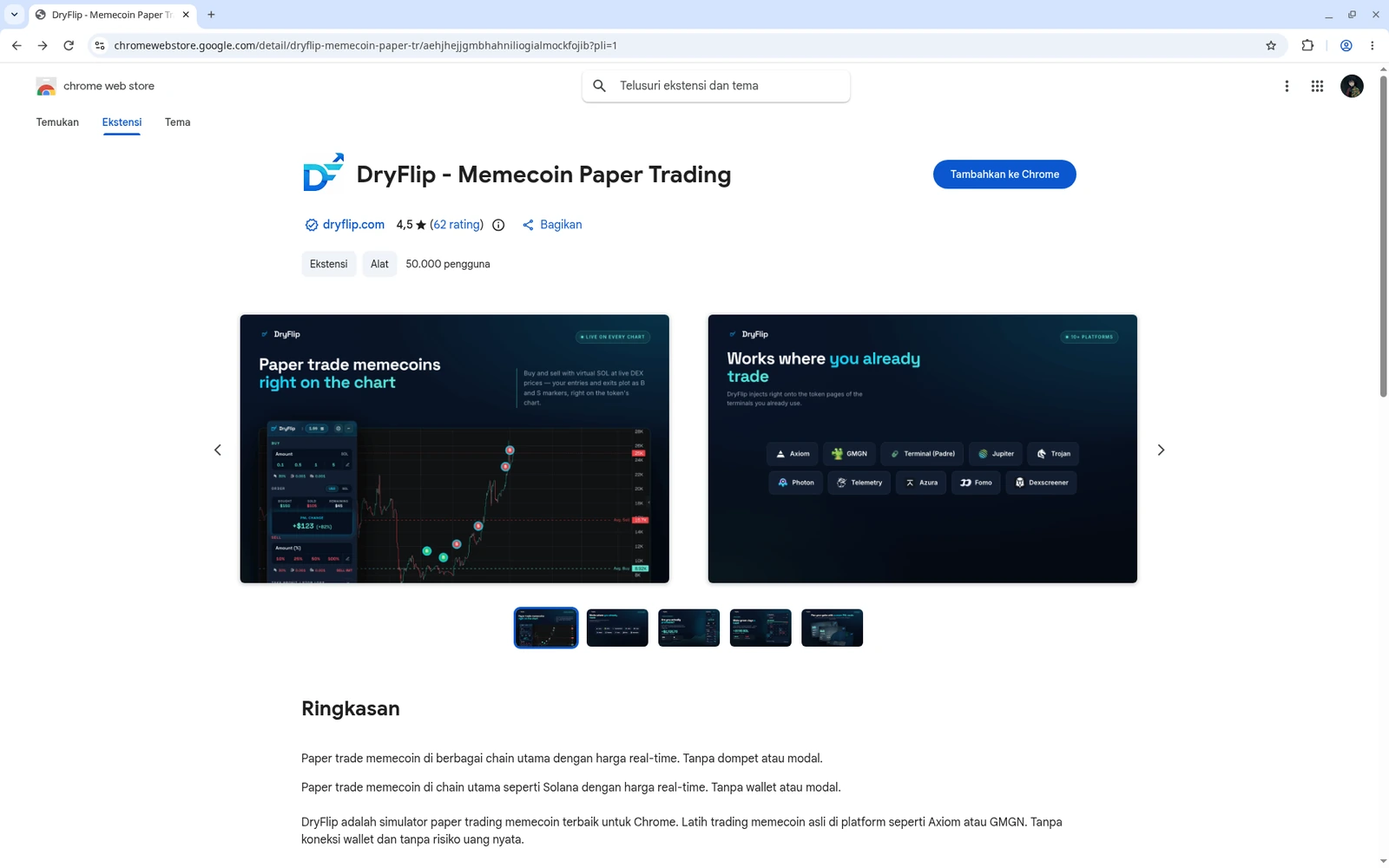
Install from the official Chrome Web Store 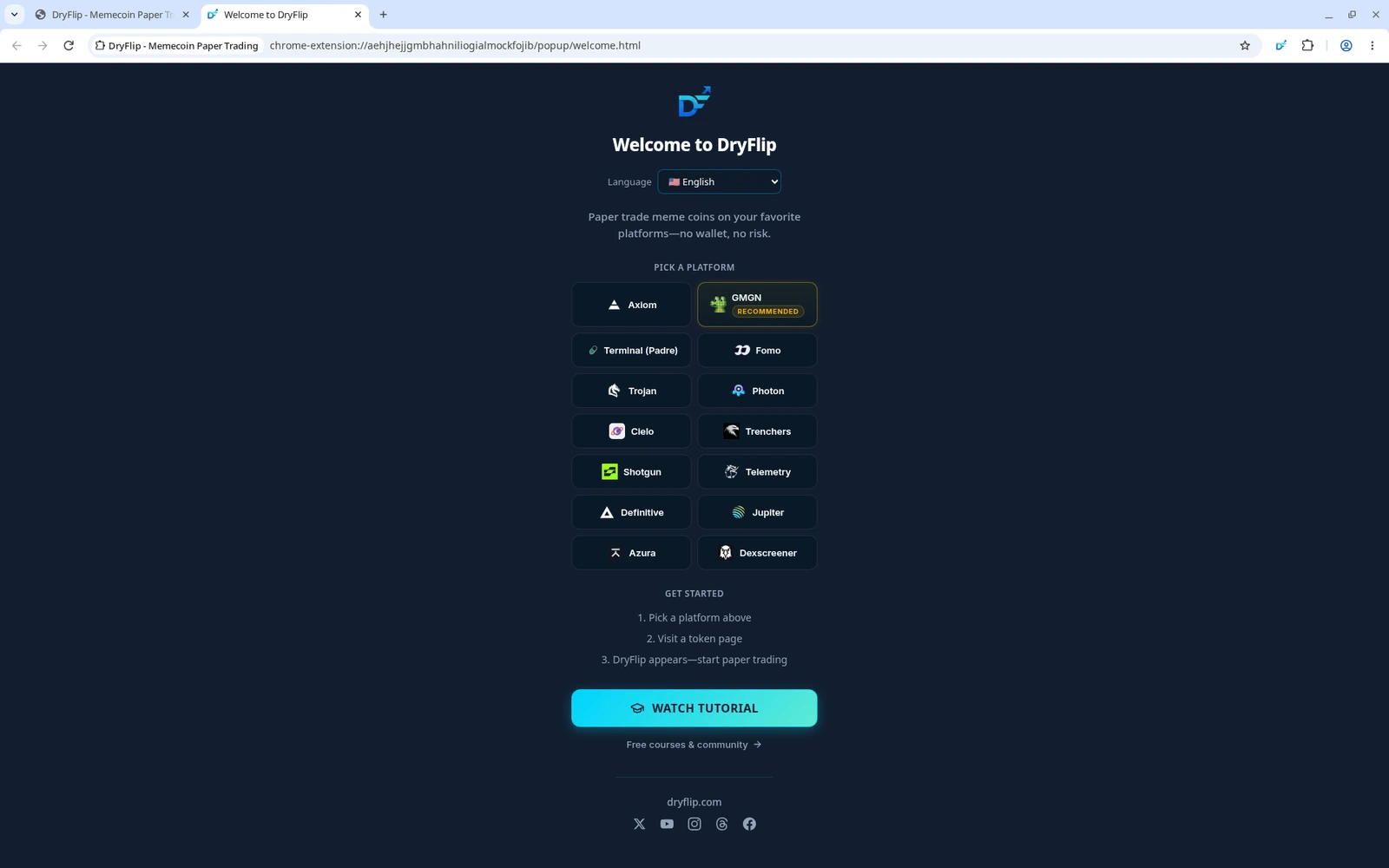
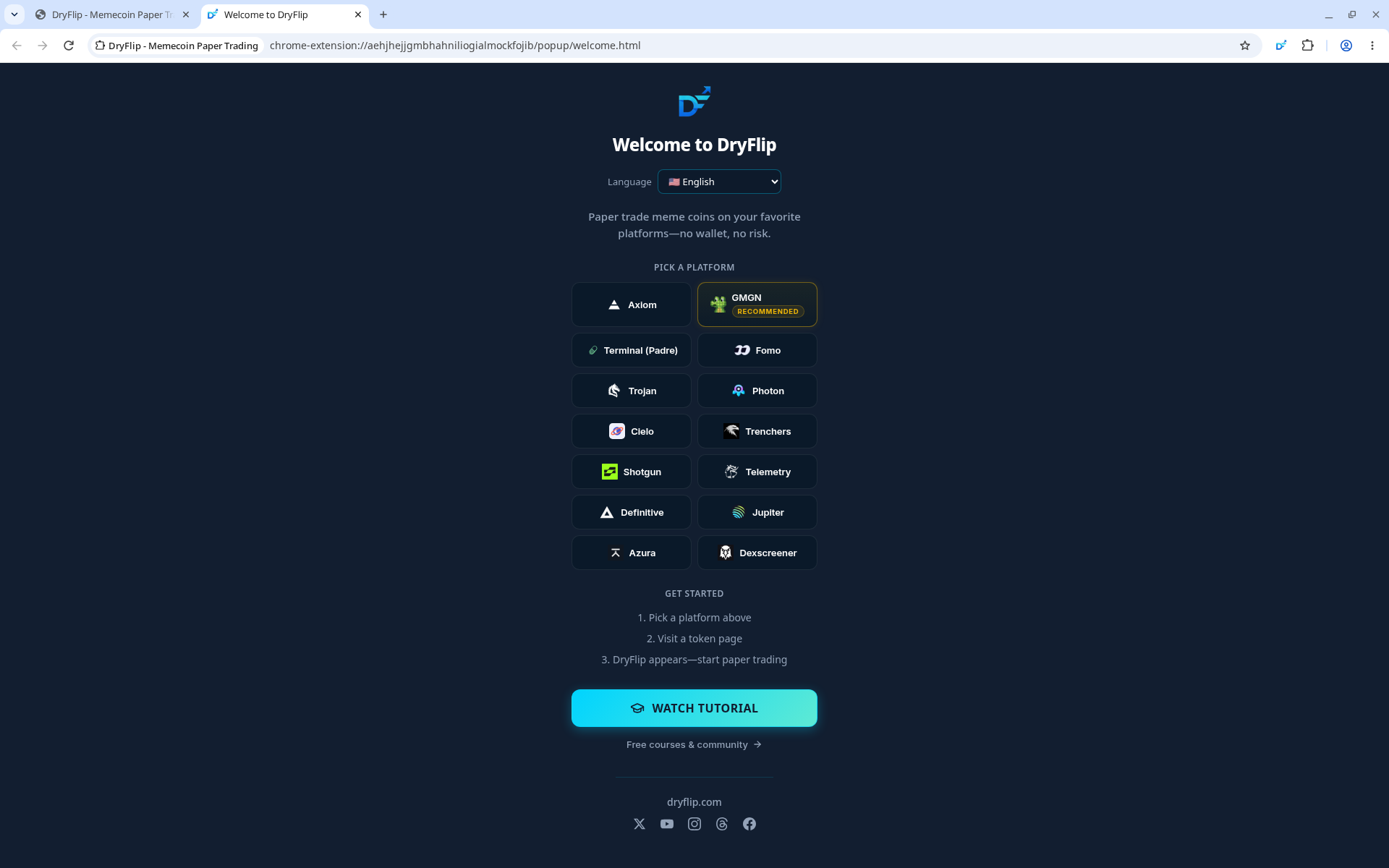
Pin the DryFlip extension to your toolbar for easy access - Open GMGN (gmgn.ai/r/Yujin) or another supported terminal.
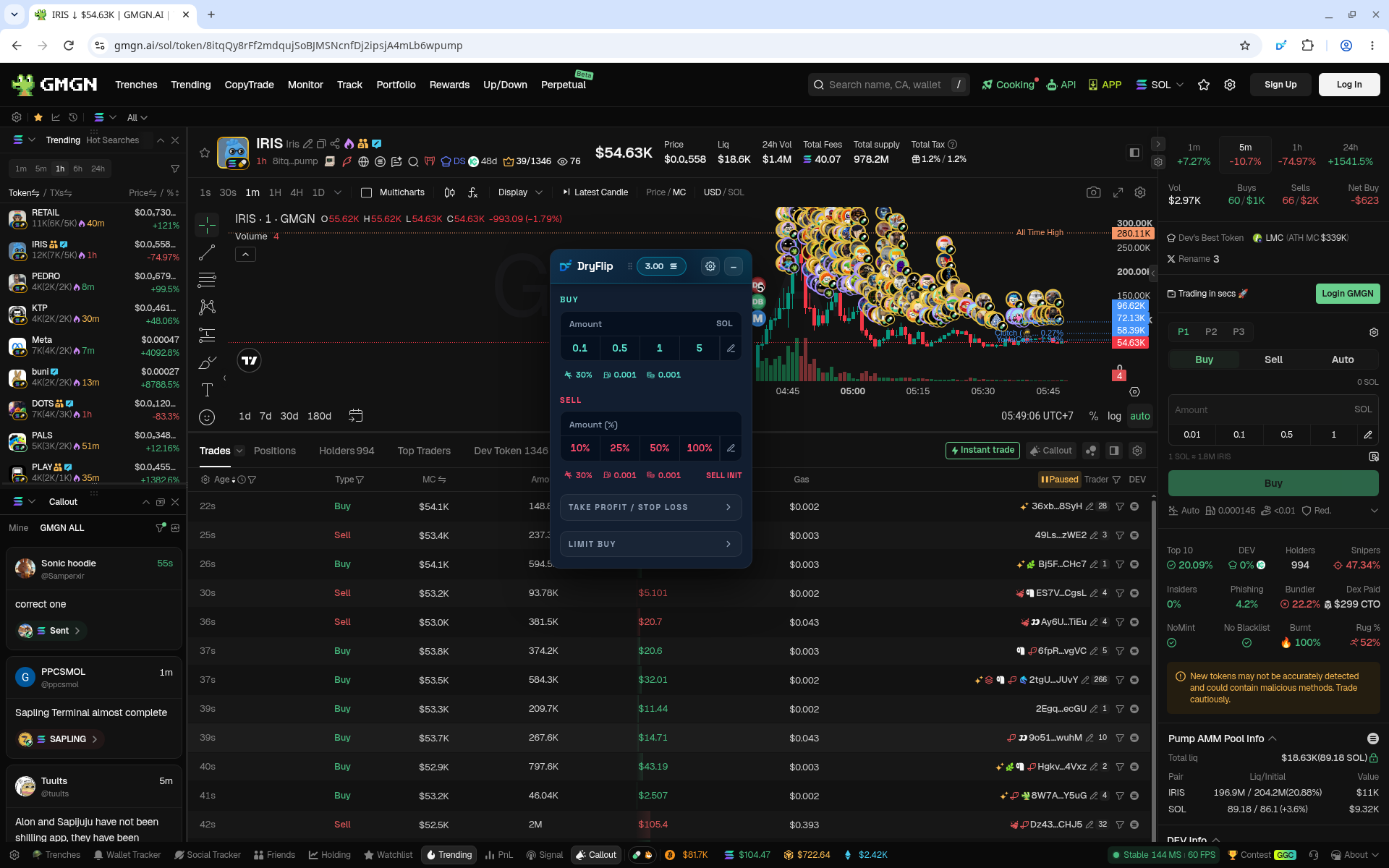
- Open any token page. The DryFlip widget appears above the chart.
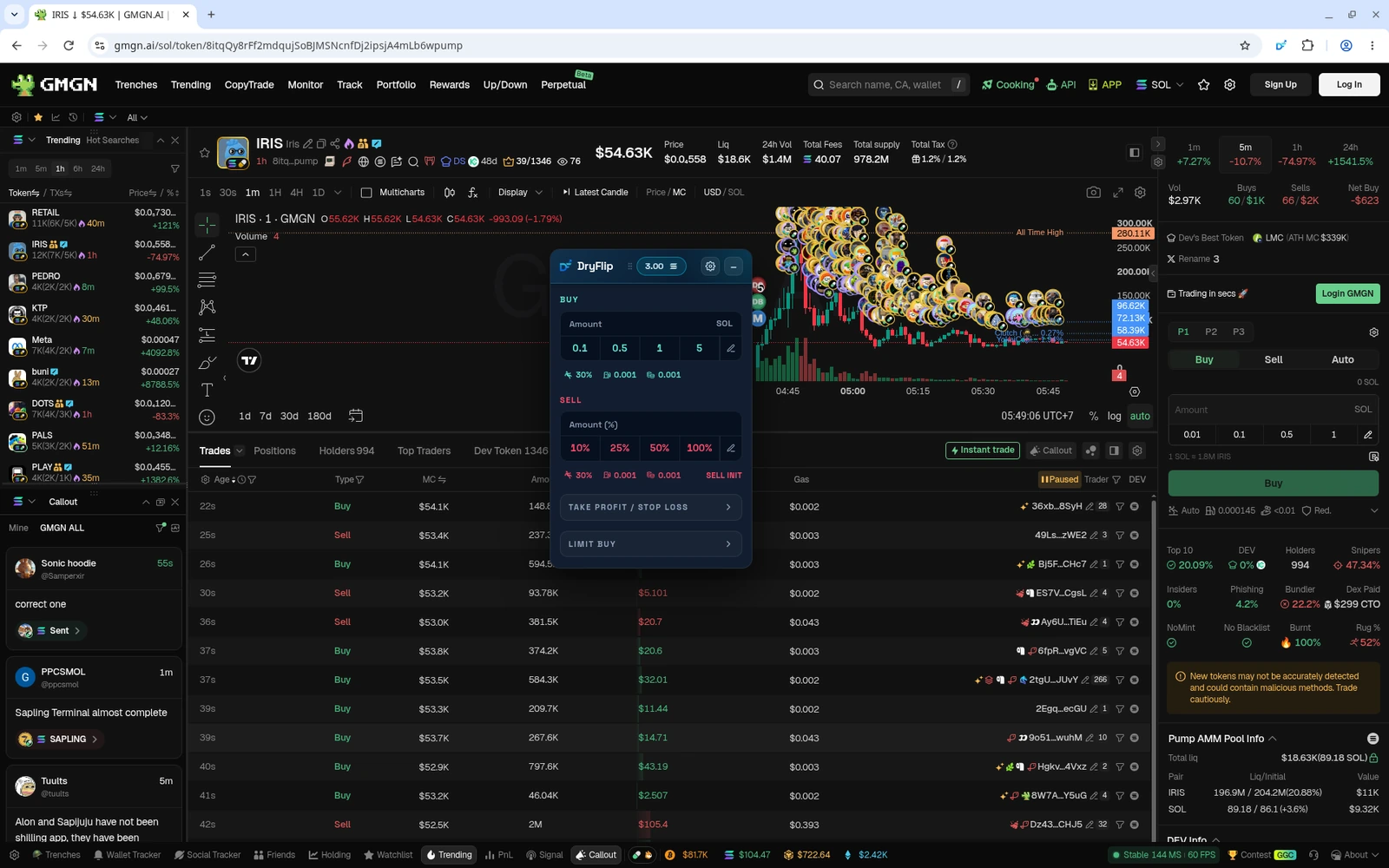
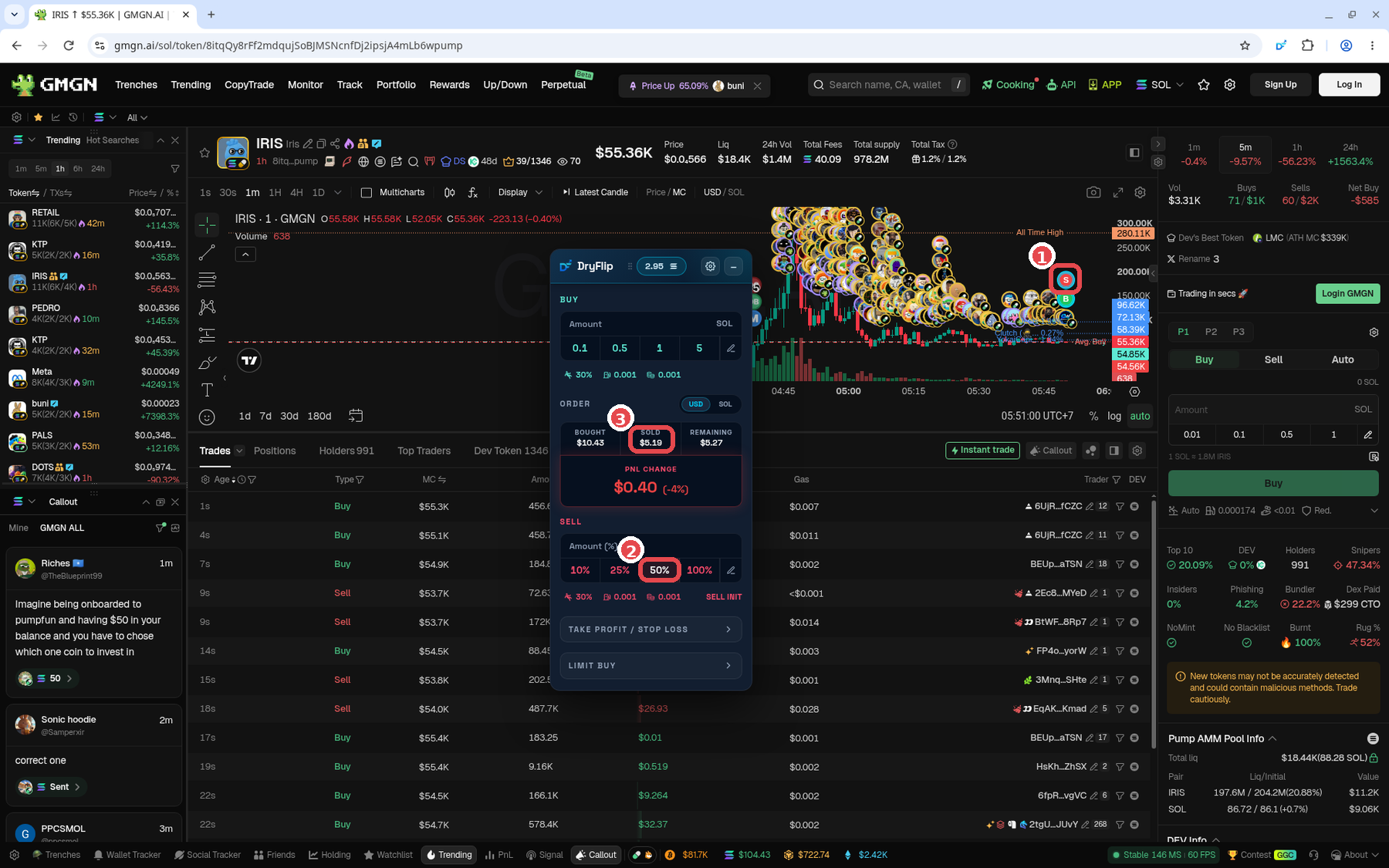
The DryFlip widget on a GMGN token page - Buy and sell through the DryFlip widget, not the terminal's own buttons.
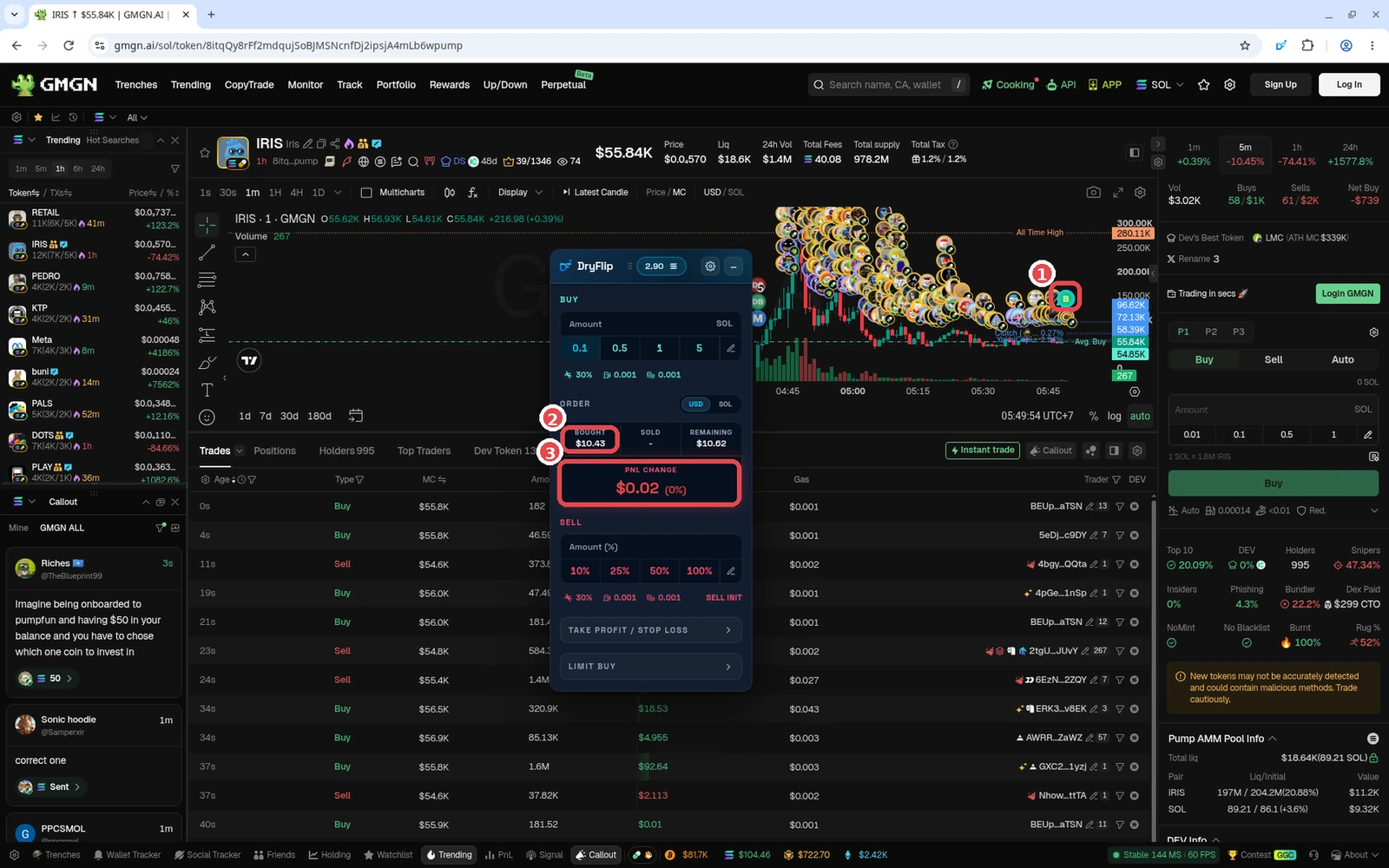
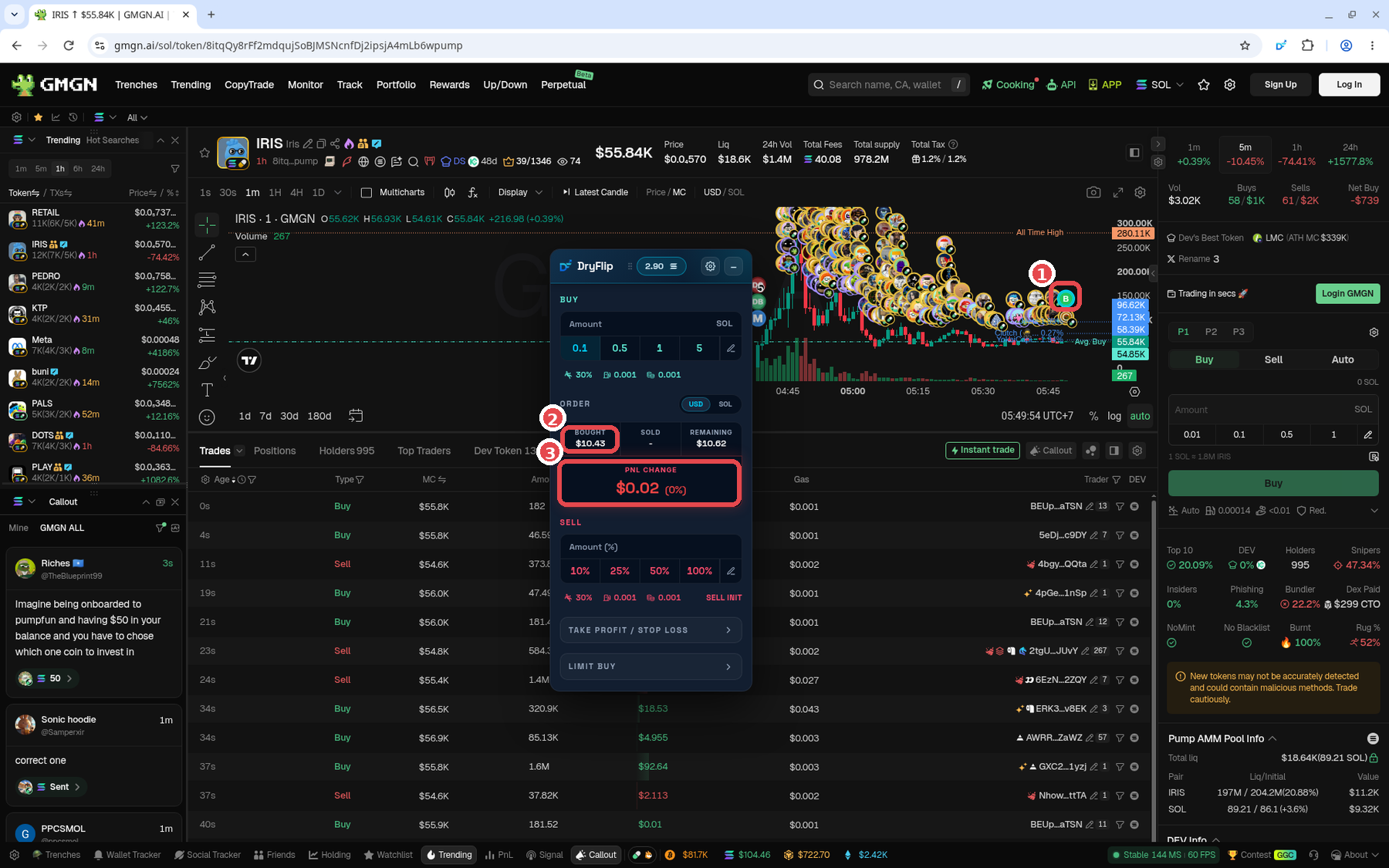
Example paper buy of 0.1 SOL in DryFlip: ① B marker (buy point) on the chart, ② Bought $10.43, ③ PnL change. GMGN + DryFlip screenshot (Oct 2026). Token is only an example, not a recommendation. - Set fees, slippage, and delay so they match real conditions. Use the same fee guide as real trading (lesson 1.5): Low ~0.0001 SOL, Standard ~0.0005 SOL, Fast ~0.001 SOL or more.
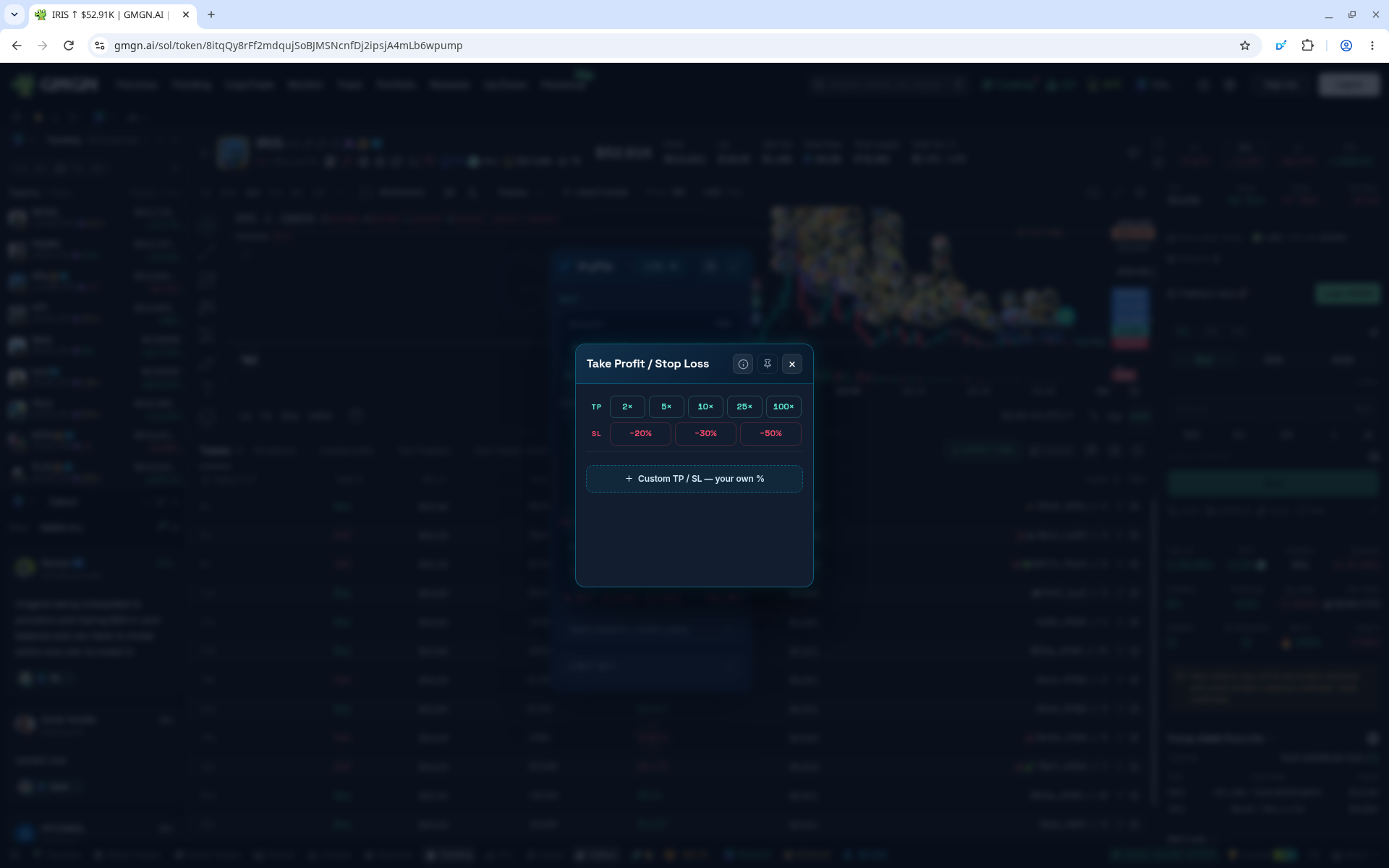
- Set a Take Profit and Stop Loss so you get used to having an exit plan.
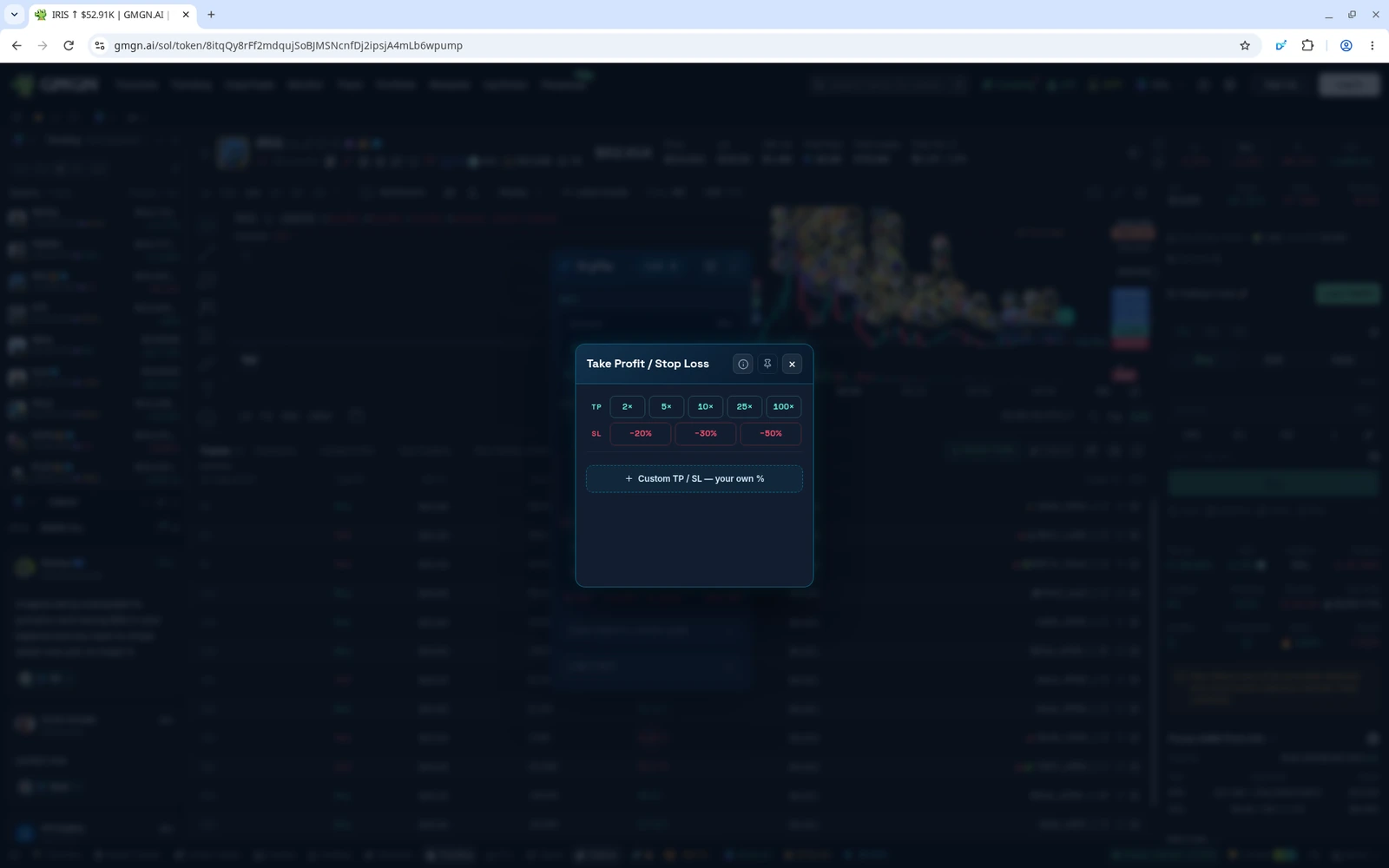
Take Profit / Stop Loss panel - Write down why you entered in your journal, then review the result.
Careful, this matters
- The terminal's own Buy/Sell buttons still use real money. DryFlip doesn't change those buttons and doesn't label them "paper". Make sure you click inside the DryFlip widget.
- If the terminal asks you to log in (Axiom, for example), use a separate, empty account with no balance. That way a misclick can't spend any money.
- Only download from the official links. A fake extension can be a drainer.
- DryFlip never asks for your seed phrase. If anyone asks for it, it's a scam.
Demo vs. real
Demo results are no guarantee of real results. In real trading:
- Slippage and can be bigger.
- Transactions can fail or land late when the is busy.
- You can get hit by a .
- Your mindset is completely different. Watching your real balance drop feels nothing like a virtual one.
When can I switch to real money?
There's no exact number, but here are some guidelines:
- You consistently have an entry, take profit, and stop loss plan before you buy.
- You understand why you lost and can explain your mistakes.
- You no longer click randomly out of FOMO.
- Your results are fairly stable over many trades, not just one or two lucky ones.
Once you're there, start with a small amount you're ready to lose, as covered in lesson 1.1.
Summary
- Demo trading (paper trading) = buying and selling real tokens at live prices with a virtual balance. DryFlip is free and doesn't need a wallet connection, seed phrase, or deposit.
- Trade through the DryFlip widget. The terminal's own Buy/Sell buttons still use real money.
- Demo is where you practice the flow and discipline. Its results don't guarantee real results, so switch to real money once your entry, TP, and plans are consistent, and start small.
Common mistakes
- Clicking the terminal's own Buy/Sell buttons while thinking you're still on demo.
- Installing the extension from a link other than dryflip.com, or giving your seed phrase to someone claiming to be from DryFlip.
- Chasing virtual PnL, then rushing into live trading while still FOMOing on demo.
Even on demo, build this habit: look for the smallest , not the biggest gain driven by greed.
Next up, lesson 1.3: Start Live Trading: Tools & Pintu Setup.
References: post by @Seonasol and the official DryFlip website. Not financial advice.
Progress is saved in this browser.