
Start Live Trading: Tools & Pintu Setup
In lesson 1.2 you practiced with demo trading. Now it's time for live trading (with real money). Lessons 1.3 to 1.6 are your live trading setup.
In this lesson: meet the tools, sign up on Pintu, deposit rupiah, and buy SOL.

The Tools We Use
- Pintu: where you buy SOL with rupiah. Legal, licensed, and supervised by OJK (Indonesia's Financial Services Authority).
- GMGN (gmgn.ai/r/Yujin): + token checker + trading. Every token check is on one page.
- Frontrun (frontrun.pro/r/yujin, optional, recommended): a Chrome extension for trading fee cashback and research on X.
- Bank accountRupiah, in your own name
- PintuDeposit Rupiah, then buy SOLLesson 1.3
- Send SOLSolana · send a small amount firstLesson 1.4
- GMGN wallet1 login method · turn on Lesson 1.4
- TradeGMGN / Frontrun (fee cashback)Lesson 1.5
- WithdrawTo your whitelisted Pintu addressLesson 1.6
- Sell SOL → WithdrawRupiah back to your bank accountLesson 1.6
Get Ready First
Step 1: Sign Up & KYC on Pintu
Pintu (PT Pintu Kemana Saja) is a licensed crypto asset trader supervised by OJK (OJK Letter No. S-15/D.07/2025 dated February 1, 2025; listed on the OJK website, checked Oct 18, 2026).
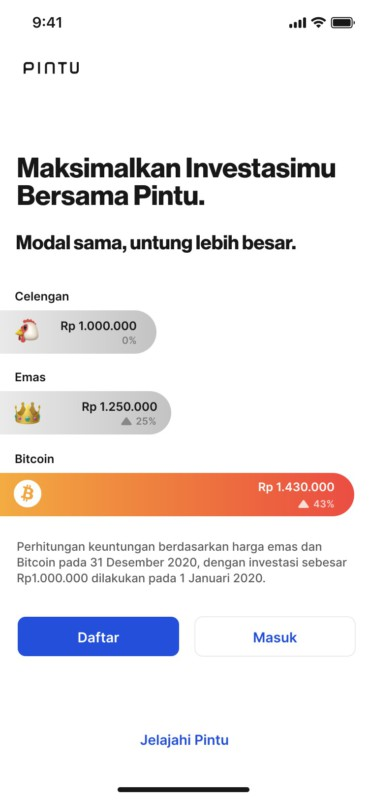
- Download Pintu from an official link, then tap Daftar (Sign up):
- Google Play: play.google.com/store/apps/details?id=com.valar.pintu
- App Store: apps.apple.com/id/app/id1494119678
- Website: pintu.co.id
Only download from these official links so you don't end up with a fake app.
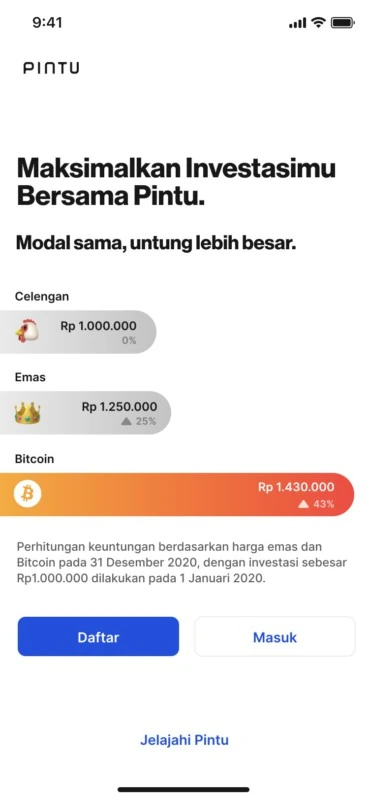
Pintu app start screen: choose Daftar (Sign up) for a new account (the latest version may look different). (Source: Pintu Blog) - Enter your email and password, verify your email, then create a 6-digit PIN.
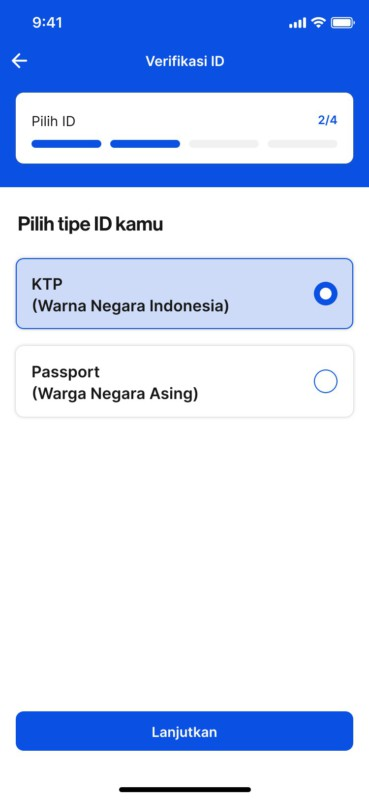
- Open Akun → Verifikasi Akun (Account → Verify Account) and choose KTP (Indonesian citizens must use an e-KTP).
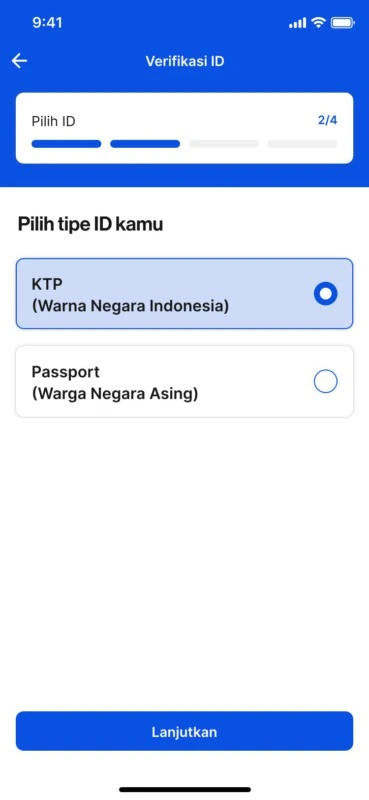
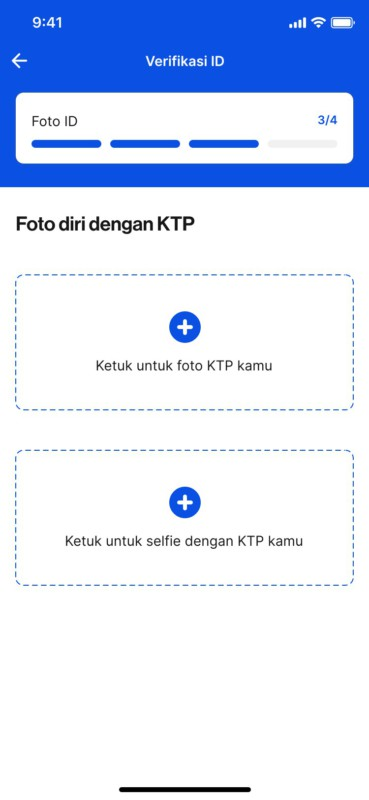
Choose ID type: KTP for Indonesian citizens, Passport for foreigners. (Source: Pintu Blog) - Take a photo of your e-KTP and a selfie holding it, then submit. According to the Pintu FAQ (checked Oct 18, 2026), verification takes at least 10 minutes and at most 24 hours, during working hours 08:00 to 23:59 WIB (Jakarta time).
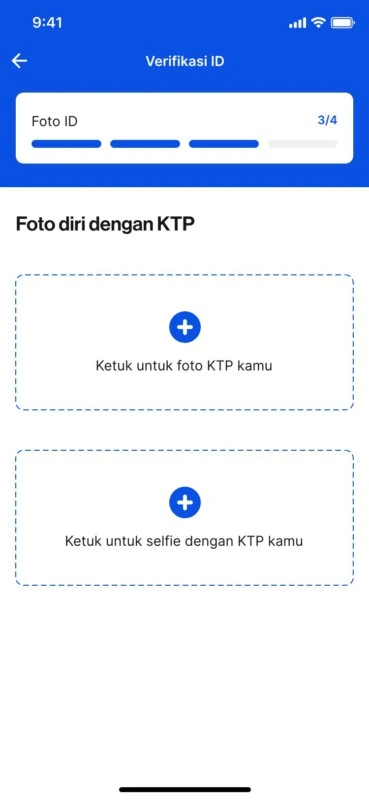
Photo of the KTP and a selfie holding it for verification. (Source: Pintu Blog)
Step 2: Deposit Rupiah
Pintu is just one option. This course uses Pintu because it's legal and supervised in Indonesia. There are other ways, like buying SOL from a seller (P2P / OTC) or using another exchange.
If you buy from a seller, make sure they're trustworthy, because scams are common.
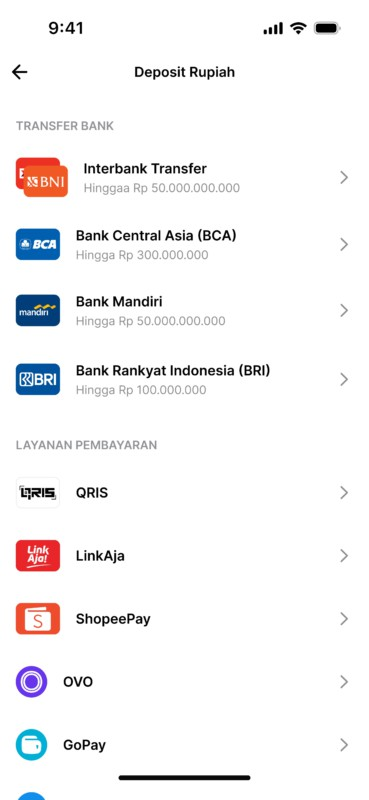
- On the home screen, tap Deposit and choose a method (bank Virtual Account, e-wallet, or QRIS).
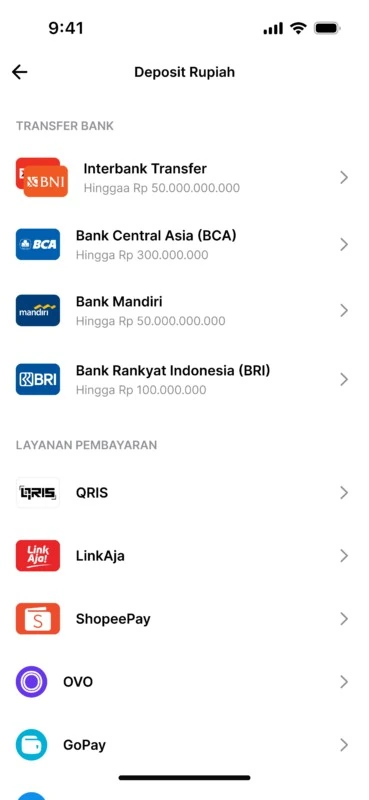
Rupiah deposit methods on Pintu (the list may change). (Source: Pintu Blog) - Transfer to the Virtual Account number shown, using your mobile banking app.
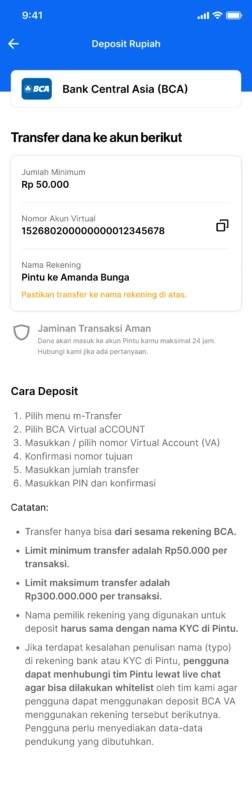
BCA VA deposit page: VA number, minimum Rp50,000, and a note that the account name must match your KYC name. The maximum limit in the image is outdated, check the latest limit in the app. (Source: Pintu Blog) - Wait for the notification that your balance has arrived.
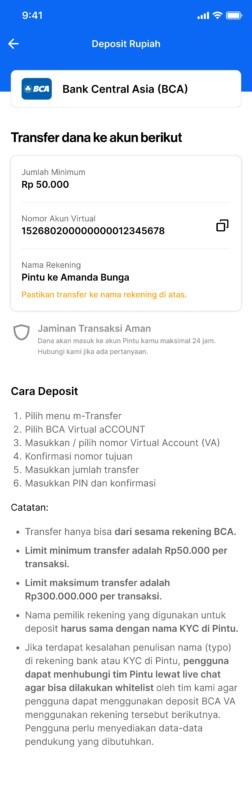
Remember: the minimum is Rp50,000, the bank account must be in your own name, and credit cards aren't accepted.
Step 3: Buy SOL
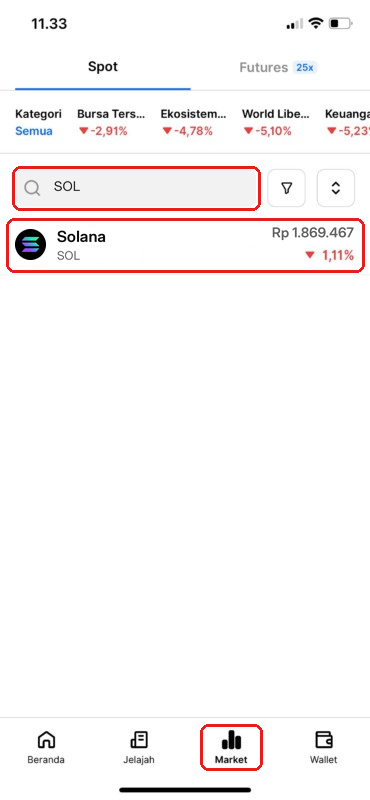
- Tap Market, search for SOL, then tap Solana.
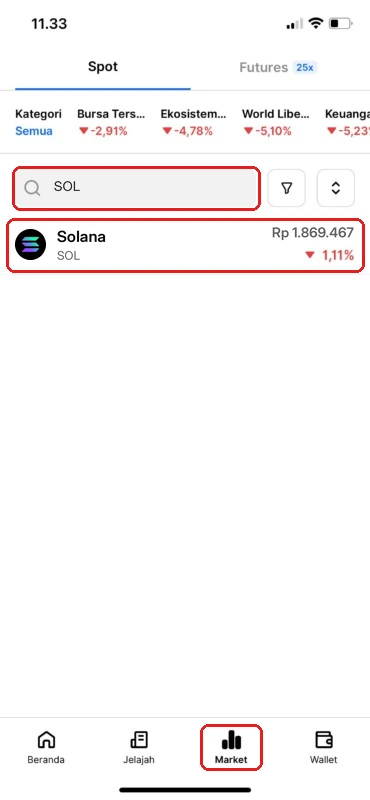
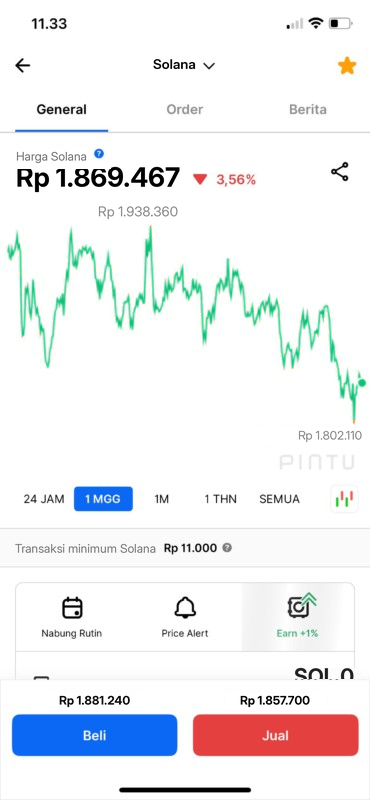
Illustration (edited from an official Pintu screenshot): tap Market and search for SOL. Numbers and prices are only examples. - Tap Beli (Buy).
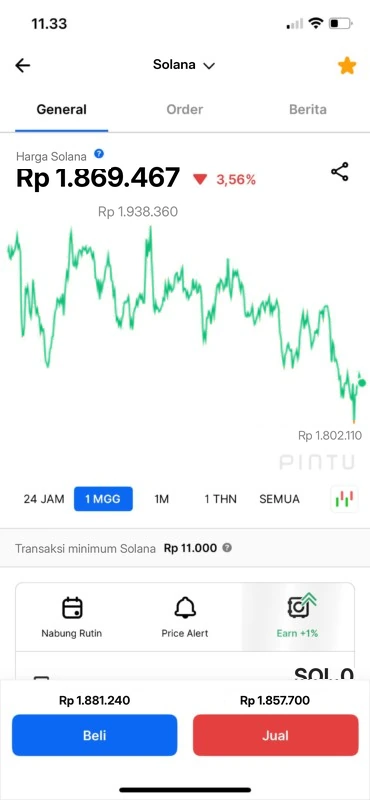
Illustration (edited from an official Pintu screenshot): buying SOL, tap Beli (Buy) on the SOL page. Numbers and prices are only examples. - Enter the rupiah amount and tap Lanjutkan (Continue).
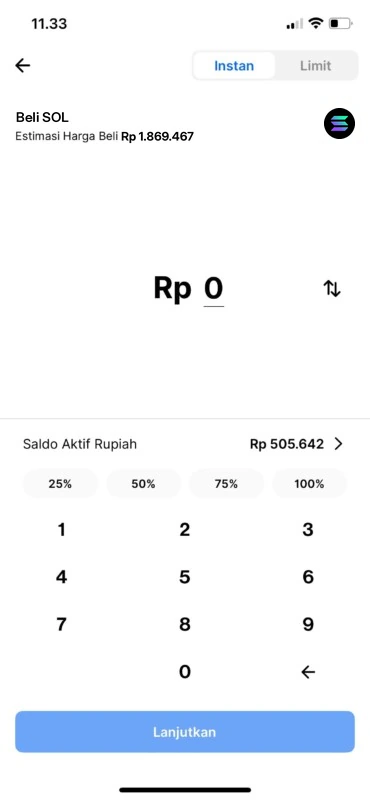
Illustration (edited from an official Pintu screenshot): buying SOL, enter the rupiah amount. Numbers and prices are only examples. - Check the Review Pembelian (purchase review) and tap Beli Sekarang (Buy Now). The SOL goes straight into your Wallet.
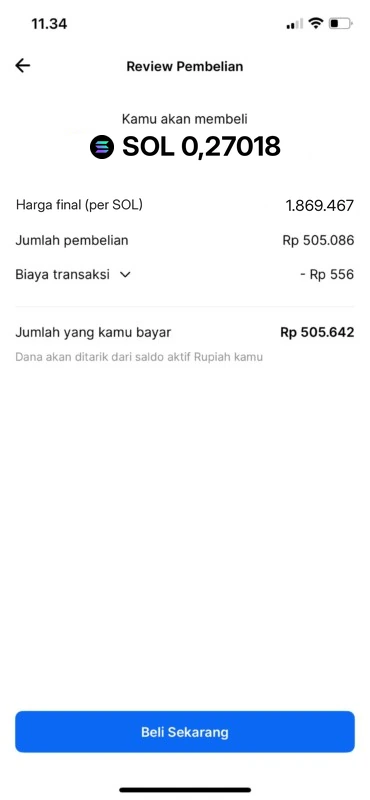
Illustration (edited from an official Pintu screenshot): buying SOL, check the review and tap Beli Sekarang (Buy Now). Numbers and prices are only examples.
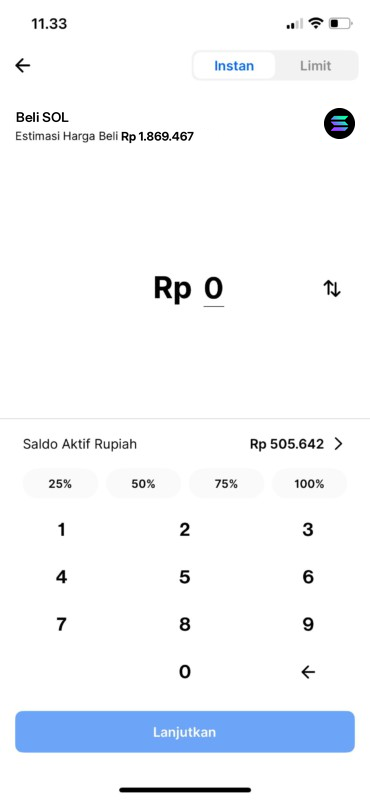
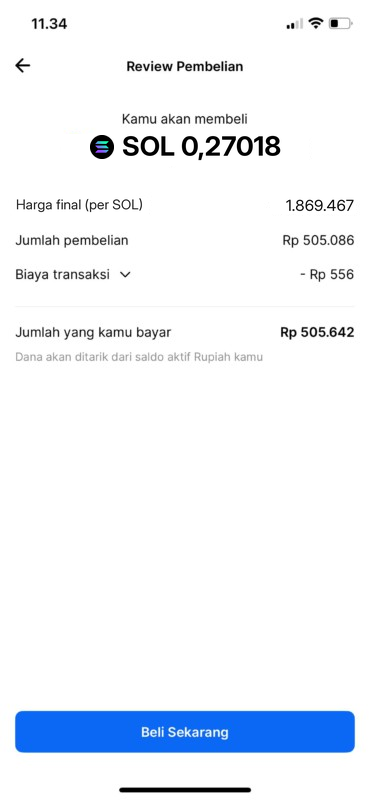
: buy a little extra SOL to cover sending and trading fees.
Summary
- The tools: Pintu (buy SOL with rupiah, supervised by OJK), GMGN (wallet + token checks + trading), and Frontrun (optional).
- The flow: sign up & KYC on Pintu → deposit rupiah (minimum Rp50,000) → buy SOL. Buy a little extra SOL for sending and trading fees.
- Your Pintu account, KTP, and bank account must be in your own name. Next (lesson 1.4): create a GMGN wallet and send SOL to it.
Common mistakes
- Downloading the Pintu app from a link that isn't official.
- Using a family member's or friend's bank account, so the deposit or withdrawal gets rejected.
- Depositing a lot at the start out of greed, when you should only use money you're ready to lose.
A clean setup is the first step to reducing . Don't rush into a big deposit out of greed.
Next up, lesson 1.4: Create a GMGN Wallet & Send SOL from Pintu.
Not financial advice.
Progress is saved in this browser.